Post a New Listing
- Tap the Selling tab at the bottom of the screen
- Tap + Post New Listing
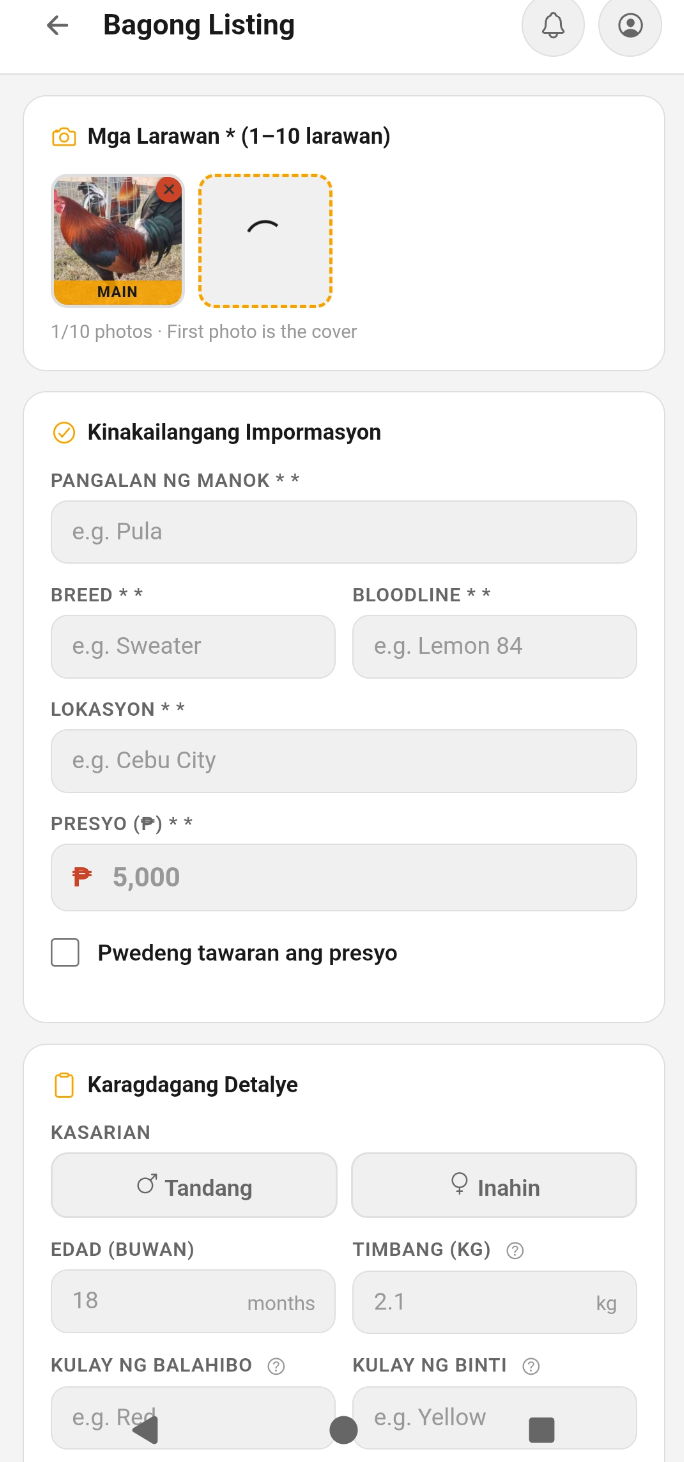
- Add photos — up to 10 photos and 1 video per listing. Tap the photo area and your gallery opens directly
- Fill in required details: bird name, breed, bloodline, purpose (Sale / Stud / Trade), location, price, and description
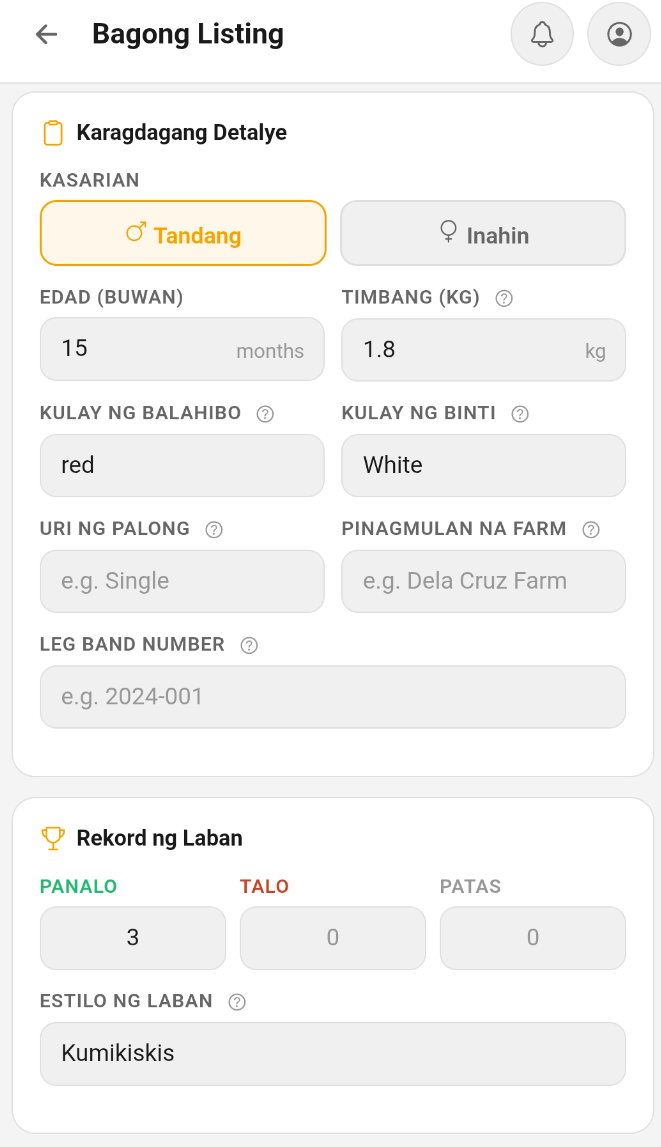
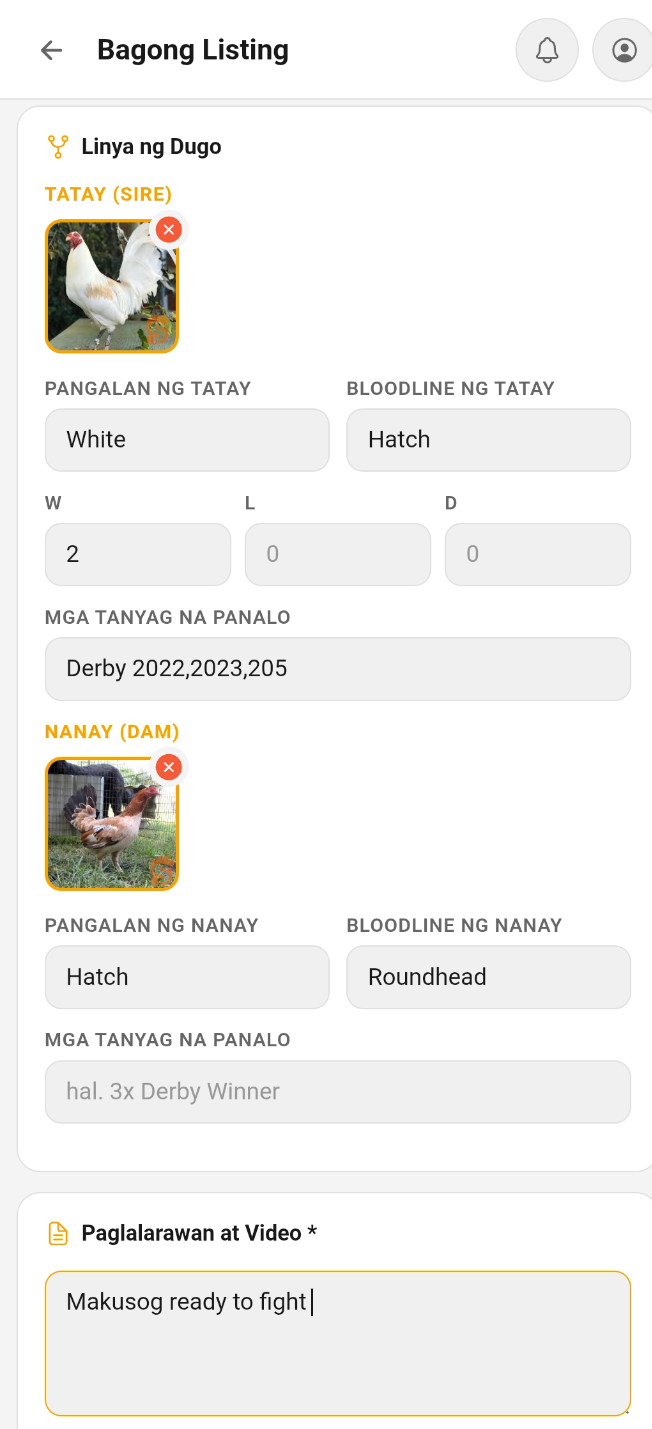
- Optionally add: age, weight, feather color, leg color, comb type, origin farm, leg band number, fighting style, and lineage (sire/dam with photos, W/L/D record, notable wins)
- Toggle Price is Negotiable if you're open to offers — a "Negotiable" tag will appear on your listing
- Set your location — buyers can find you on the map
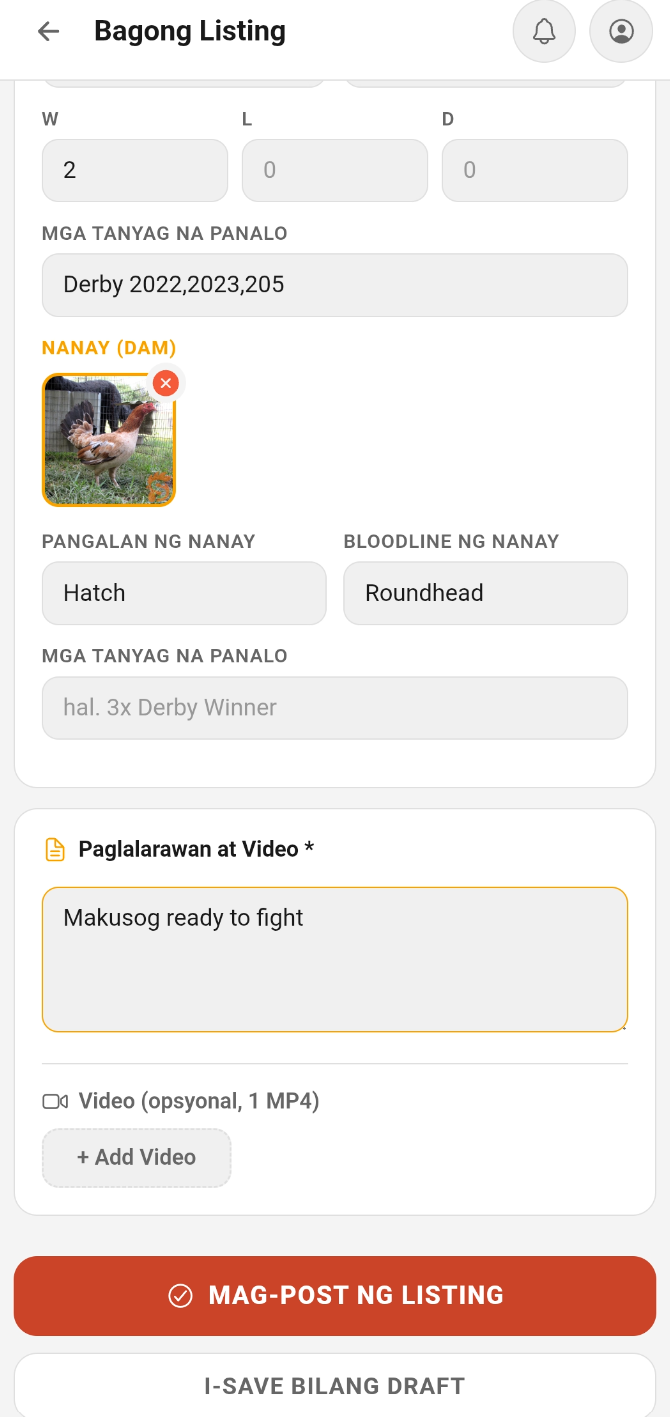
- Scroll to the bottom and tap POST LISTING — your bird is now live
Required Fields
The following fields are required before you can post:
- Photos — at least 1 photo is required
- Bird Name
- Breed
- Bloodline
- Location
- Price (for Sale listings)
- Description — describe your bird's health, temperament, and history
Negotiable / Last Price Tag
When creating or editing a listing, toggle Price is Negotiable to show a "Negotiable" chip on your listing card and detail page. If you're firm on the price, leave it off — it will show "Last Price" instead.
Photo Rules
- Up to 10 photos per listing
- The app detects duplicate photos — photos already used by another seller are rejected. This prevents stolen photos and fake listings
- Use your own original photos for best results
Pedigree Tree
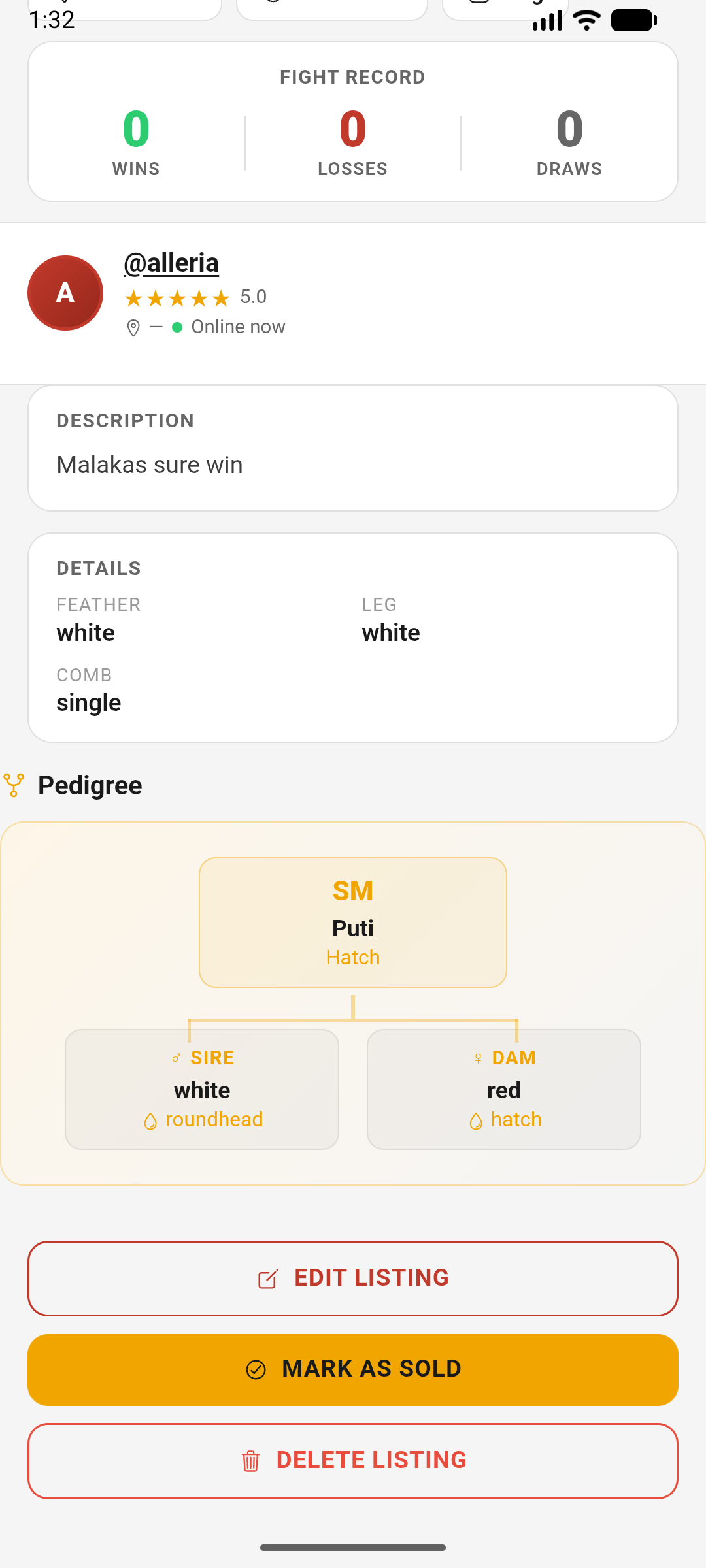
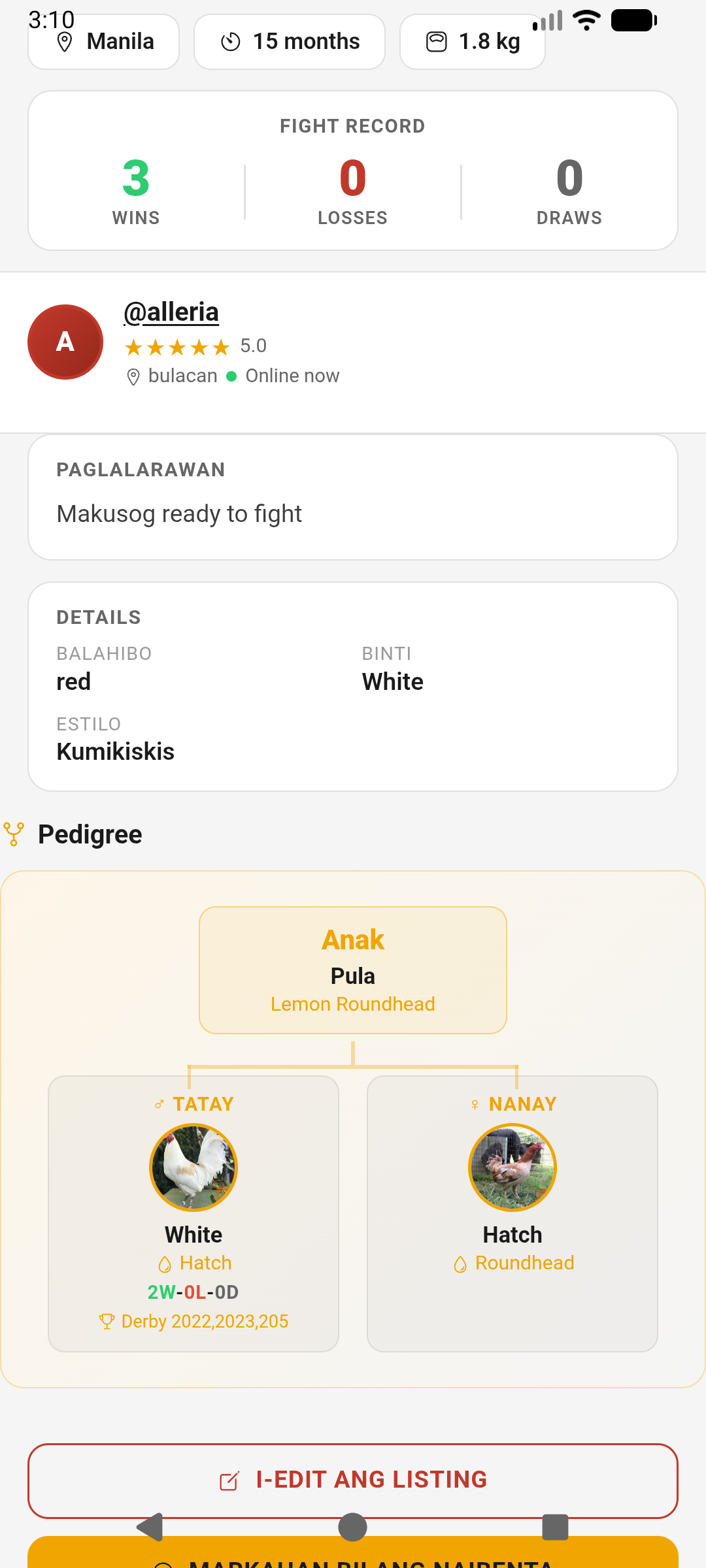
Add your bird's lineage in the listing form — sire and dam with their own photos, W/L/D records, and notable wins. This displays as an interactive pedigree tree on the listing detail page, which is a strong trust signal for serious buyers.
Managing Your Listings
- Edit or update your listing anytime from the Selling tab
- Mark as Sold when the bird is taken — sold listings stay visible with a SOLD banner but are removed from the main feed
- Relist a Sold listing — tap Repost on any sold listing to create a new active listing from it
- Listings expire after 30 days. You'll get a notification 3 days before expiry. Tap Renew to extend by 30 days
- Listings with ≤5 days left show an expiry warning badge
- Repost Expired/Removed listings to create a fresh active listing
Reserve a Listing
When a deal is in progress but not yet confirmed, you can mark your listing as Reserved to signal to other buyers that it's tentatively taken.
- Go to Selling → Mine and find the listing
- Tap Reserve — the listing shows a Reserved badge and stays visible
- If the deal falls through, tap Unreserve to set it back to Active
Save as Draft
Not ready to publish? Save your listing as a draft and come back later.
- While creating a listing, tap Save as Draft instead of Post
- Access drafts from Selling → Drafts tab
- Edit, publish, or delete drafts anytime
- Tap Publish when ready to make it live
Seller Analytics
Tap the chart icon on any of your listings to see its individual stats: Views, Saves, and Inquiries.
Seller Dashboard
Track your overall selling performance from the Selling tab. The dashboard shows 9 stats:
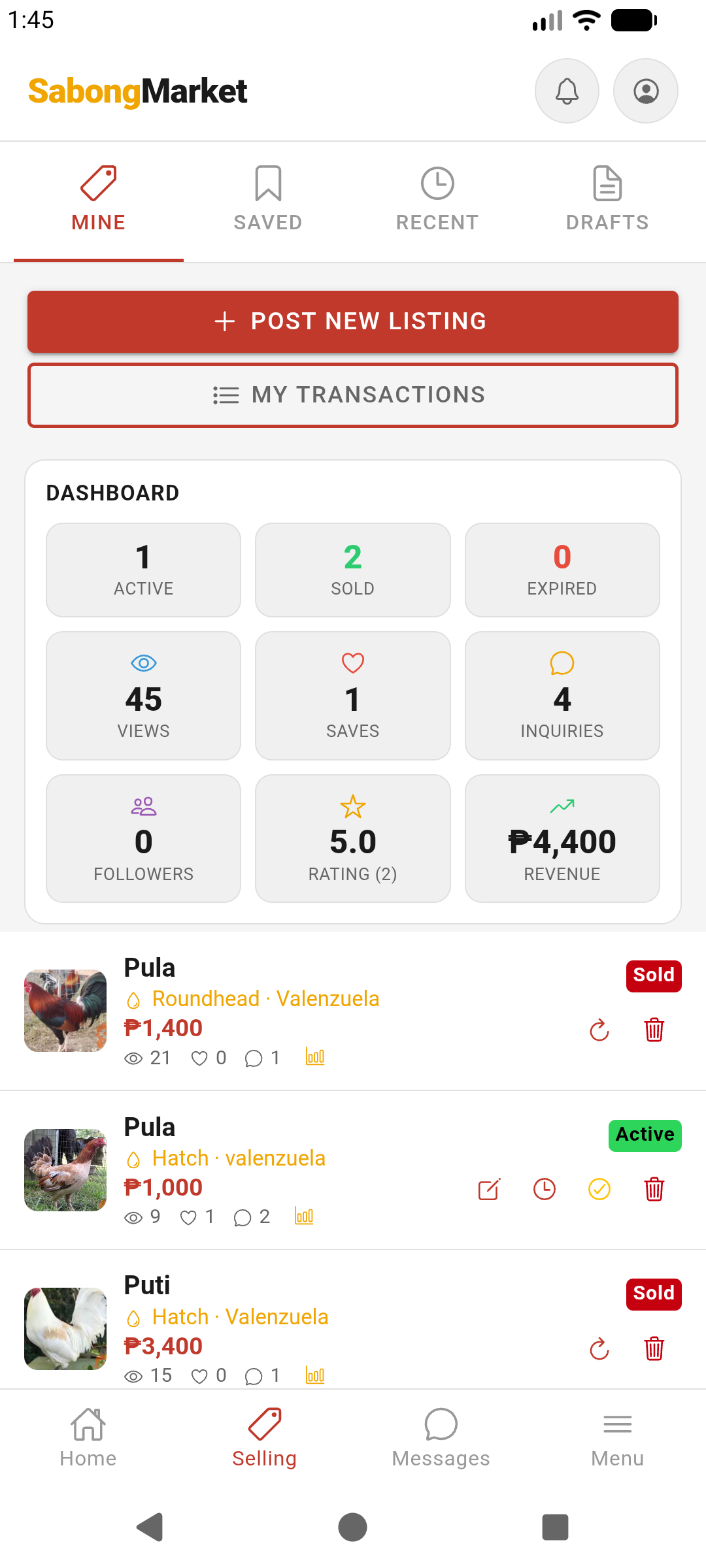
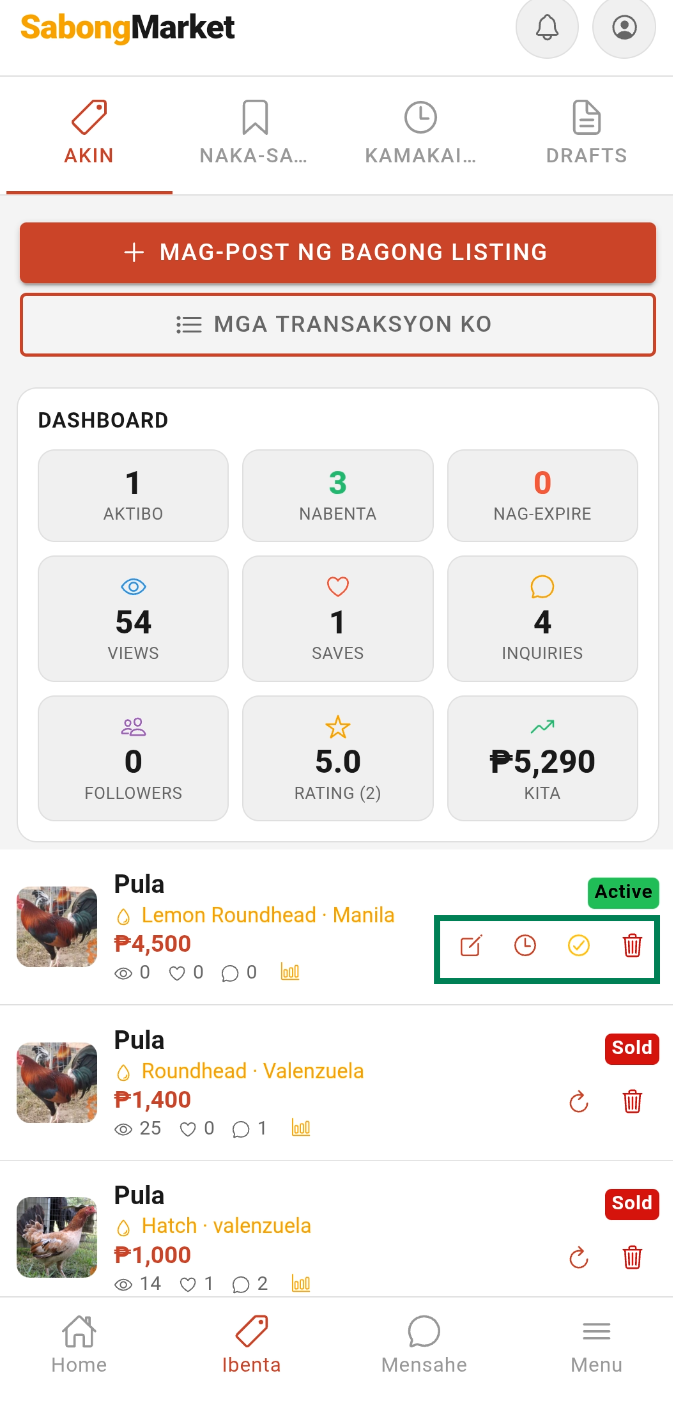
- 🟢Active — currently live listings
- ✅Sold — total birds sold
- ⏰Expired — expired listings
- 👁️Views — total views across all listings
- 🤍Saves — times buyers saved your listings
- 💬Inquiries — total messages received
- 👥Followers — users following your profile
- ⭐Rating — your average star rating
- 💰Revenue — total value of confirmed transactions