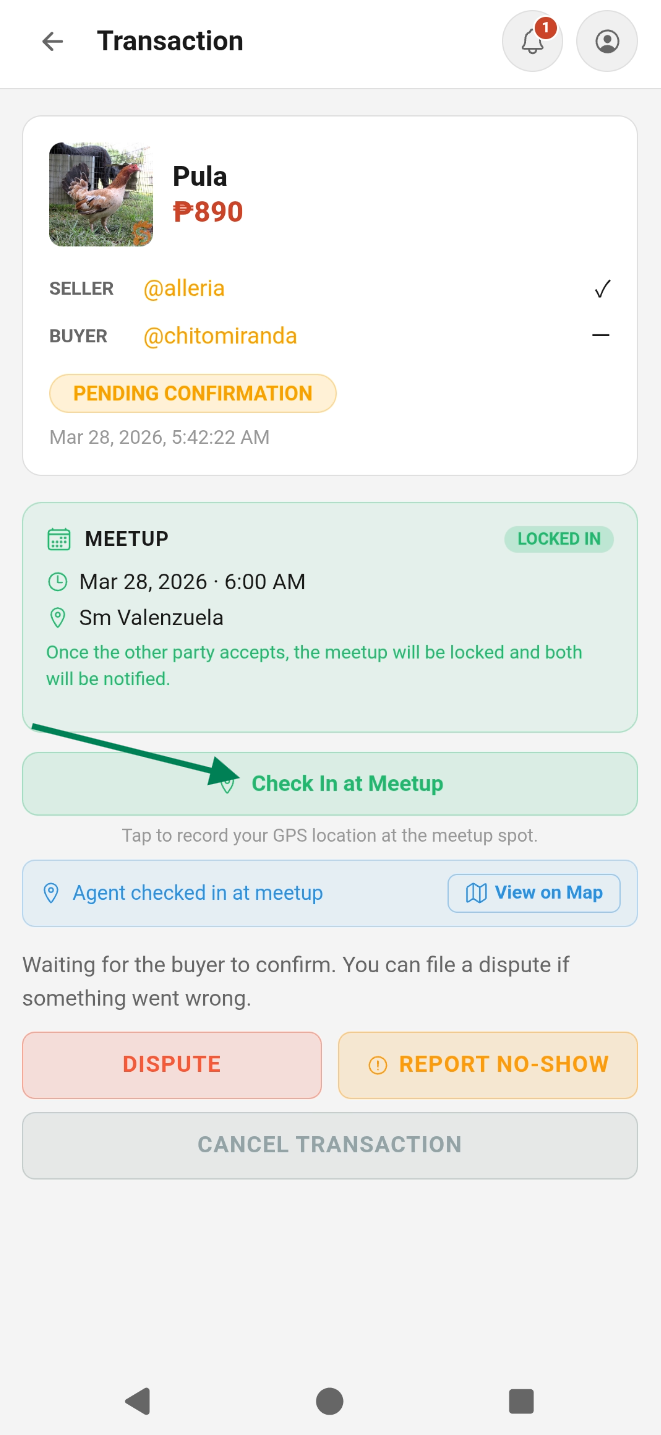
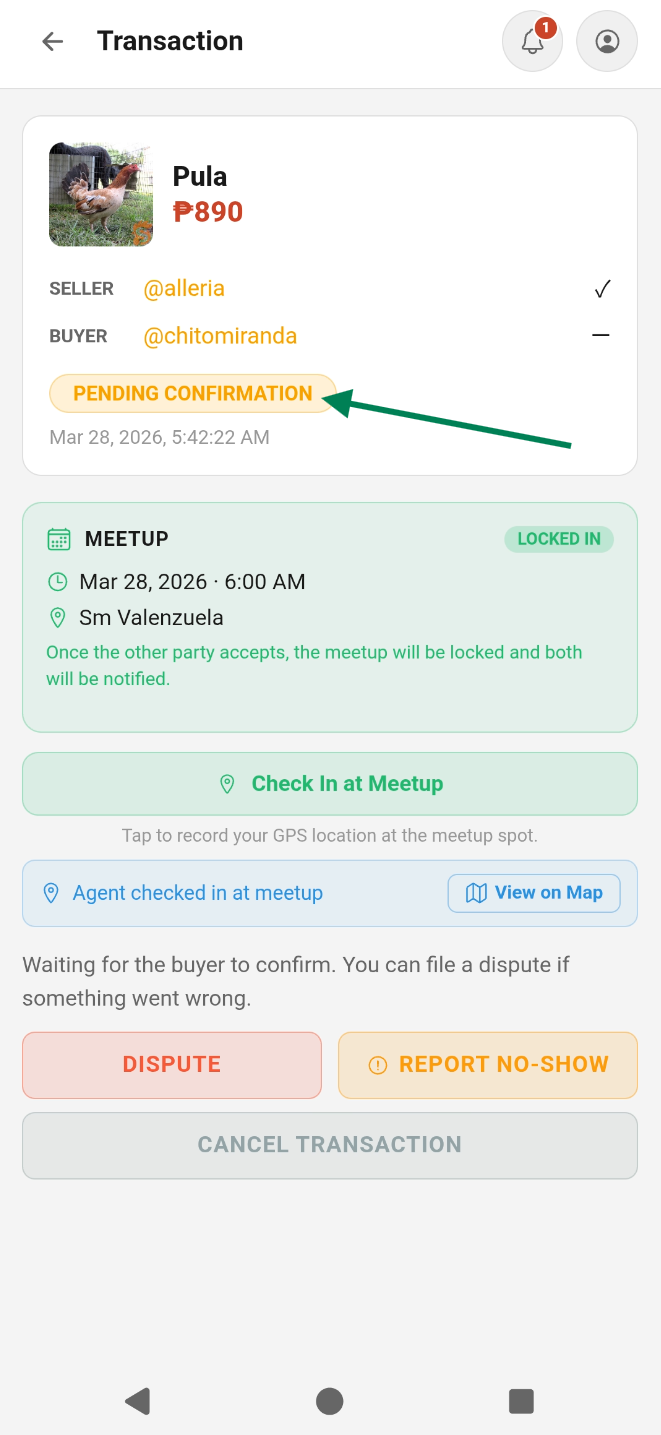
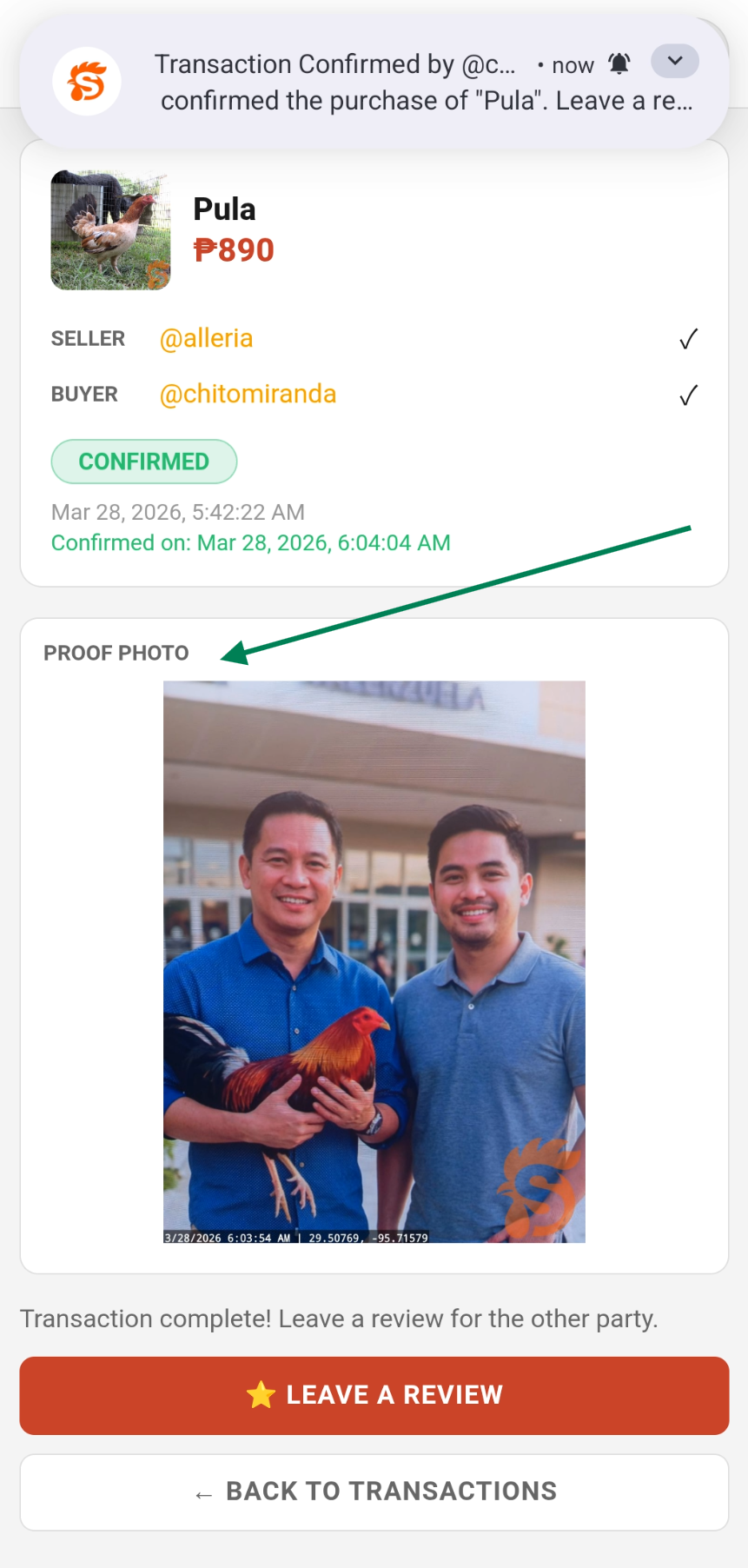
How a Transaction Works
Transaction Statuses
- Pending — transaction created, waiting for meetup and confirmation
- PendingBuyerConfirmation — buyer needs to upload proof and confirm
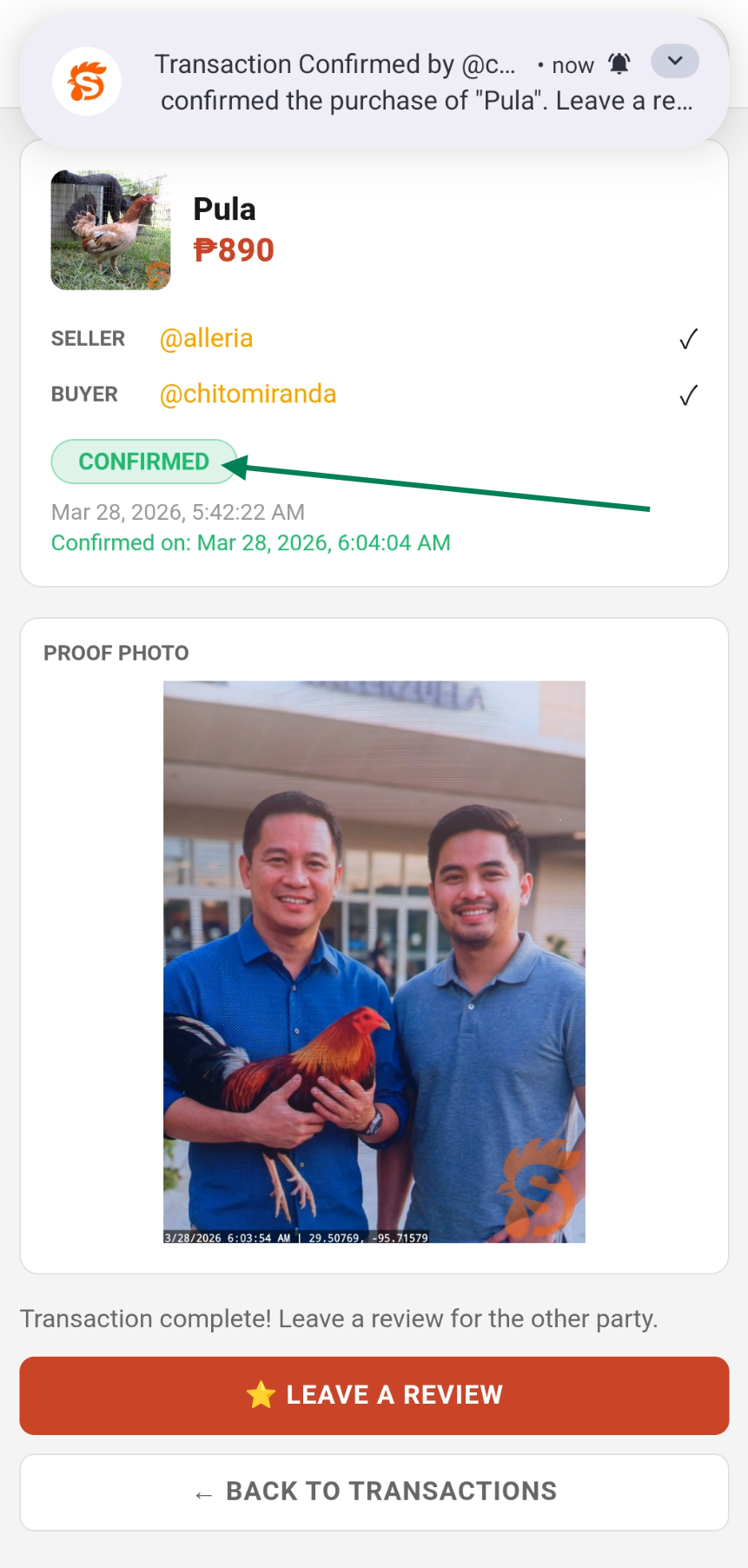
- Confirmed — both parties confirmed, deal is complete
- Disputed — a dispute has been filed, admin is reviewing
- NoShow — one party reported the other didn't show up
- Cancelled — the transaction was cancelled by buyer or seller
Reject a Transaction (Buyer Only)
If the seller created a transaction without your agreement, you can reject it immediately:
- Open the transaction from the chat or Menu → Transactions
- Tap Reject Transaction
- The transaction is cancelled, the listing reverts to Active, and the seller is notified
Cancel a Transaction
Either the buyer or seller can cancel a pending transaction if the deal falls through.
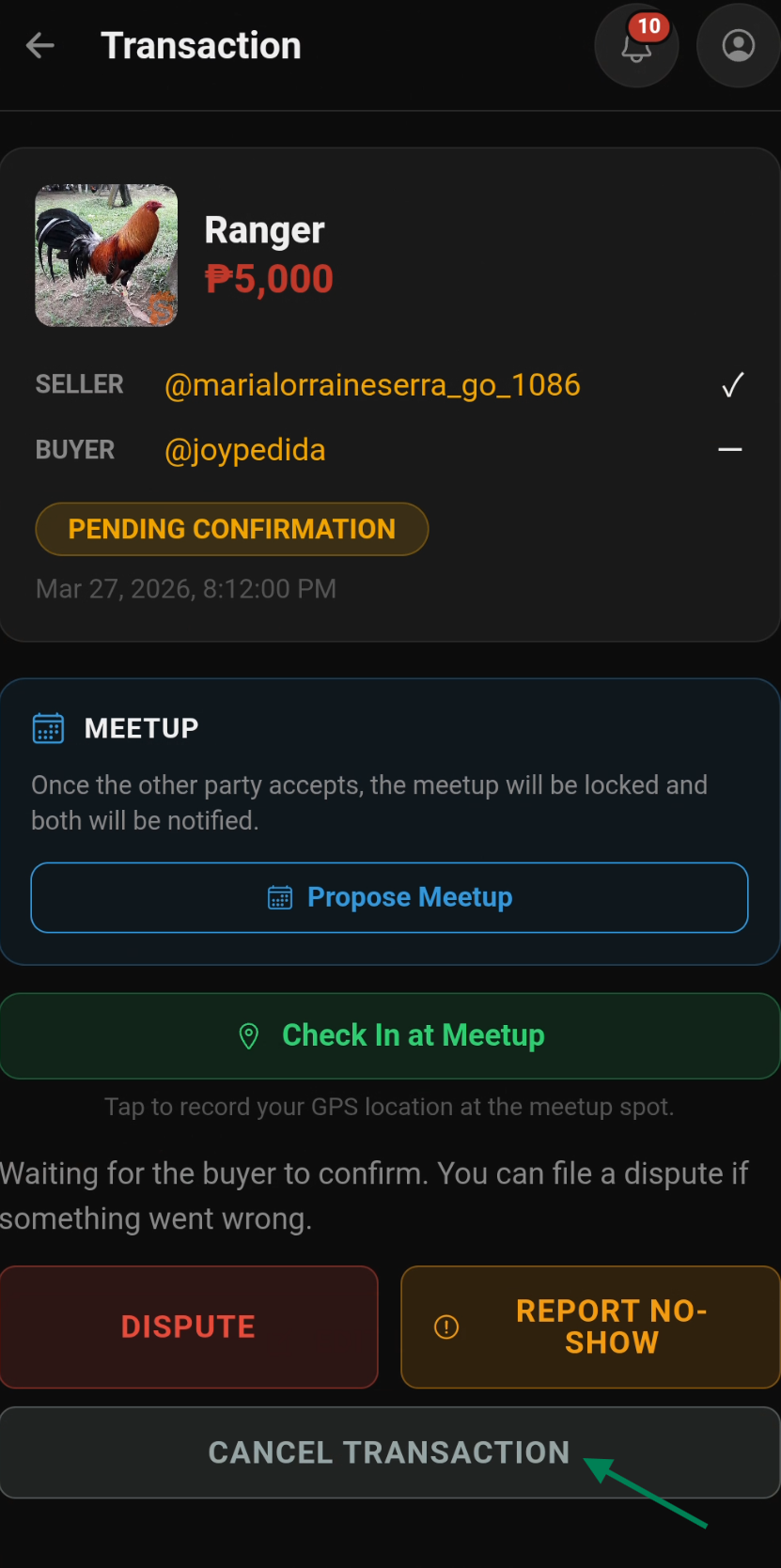
- Open the transaction from Menu → Transactions or from the chat
- Tap Cancel Transaction
- Select a reason for cancellation
- The transaction is marked as Cancelled and the listing automatically reverts to Active
No-Show Reporting
If the other party doesn't show up at the agreed meetup location:
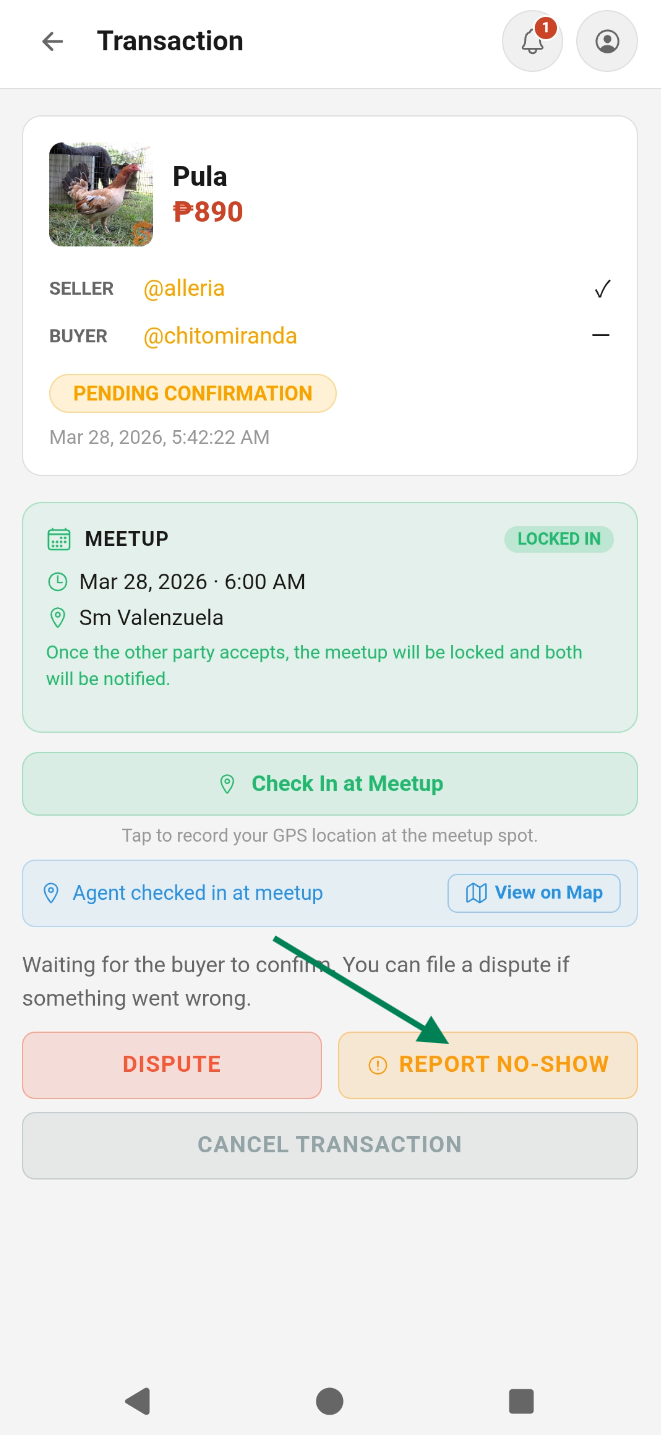
- Open the transaction page
- Tap Report No-Show and select a reason
- The transaction is marked as NoShow
- A NoShow badge and info section appear on the transaction detail
Filing a Dispute
If something goes wrong after the meetup:
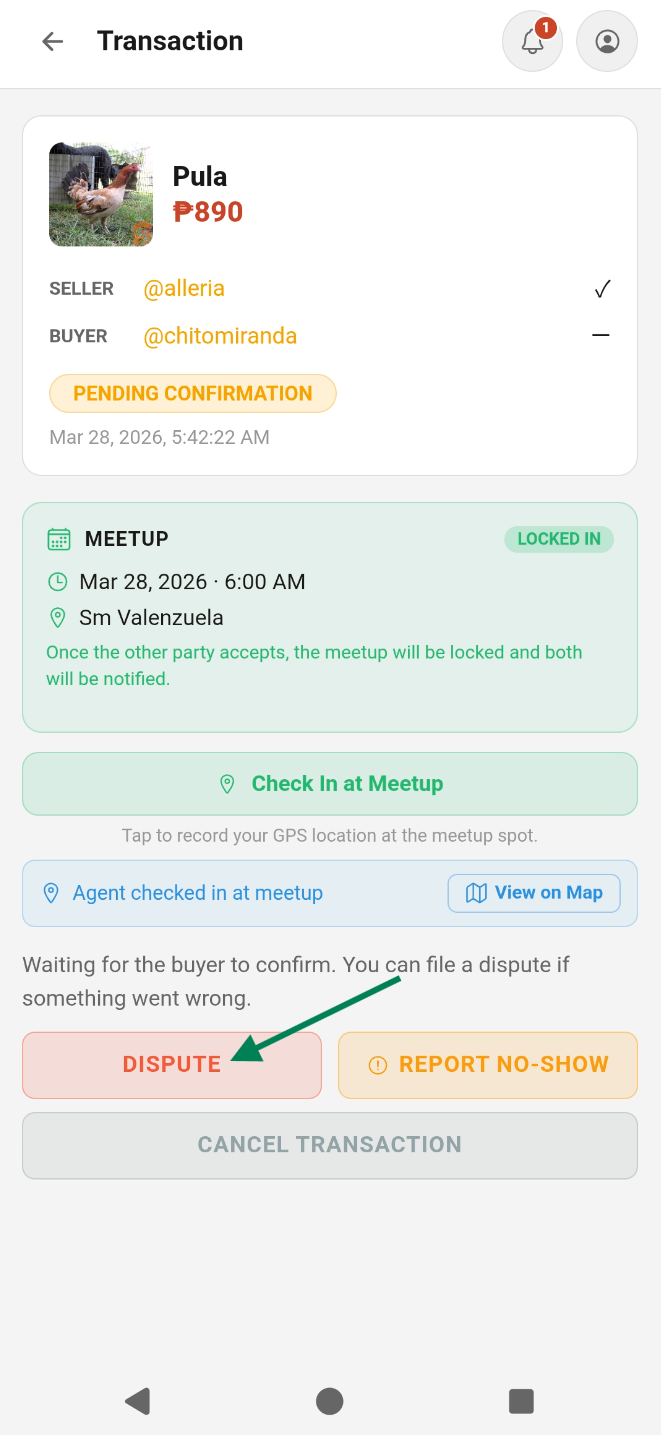
- Open the transaction and tap Dispute
- Describe the issue and upload evidence photos
- Our admin team will review and resolve the dispute
Automatic Reminders & Expiry
To prevent listings from being stuck as Reserved forever, the app automatically manages abandoned transactions:
- Day 7 — both parties receive a push notification reminding them to confirm or cancel
- Day 14 — if still no action, the transaction is automatically cancelled and the listing reverts to Active. Both parties are notified.
What Can Go Wrong & What to Do
| Scenario | What to Do |
|---|---|
| Seller created transaction without your agreement | Tap Reject Transaction |
| Deal fell through before meetup | Tap Cancel Transaction with a reason |
| Other party didn't show up | Tap Report No-Show |
| Bird not as described / scam attempt | Tap Dispute with evidence photos |
| Both forgot / no activity for 7 days | You'll receive a reminder push notification |
| Transaction stuck for 14+ days | Auto-cancelled automatically — listing reverts to Active |
| Need admin help | Use Help → Contact Us in the app |
Transaction Events in Chat
Transaction status updates appear as inline cards in the conversation — so both parties always know the current status without leaving the chat. The transaction card and meetup bar also update in real-time when either party makes a change.
Meetup Scheduling on the Transaction Page
You can also schedule a meetup directly from the transaction detail page:
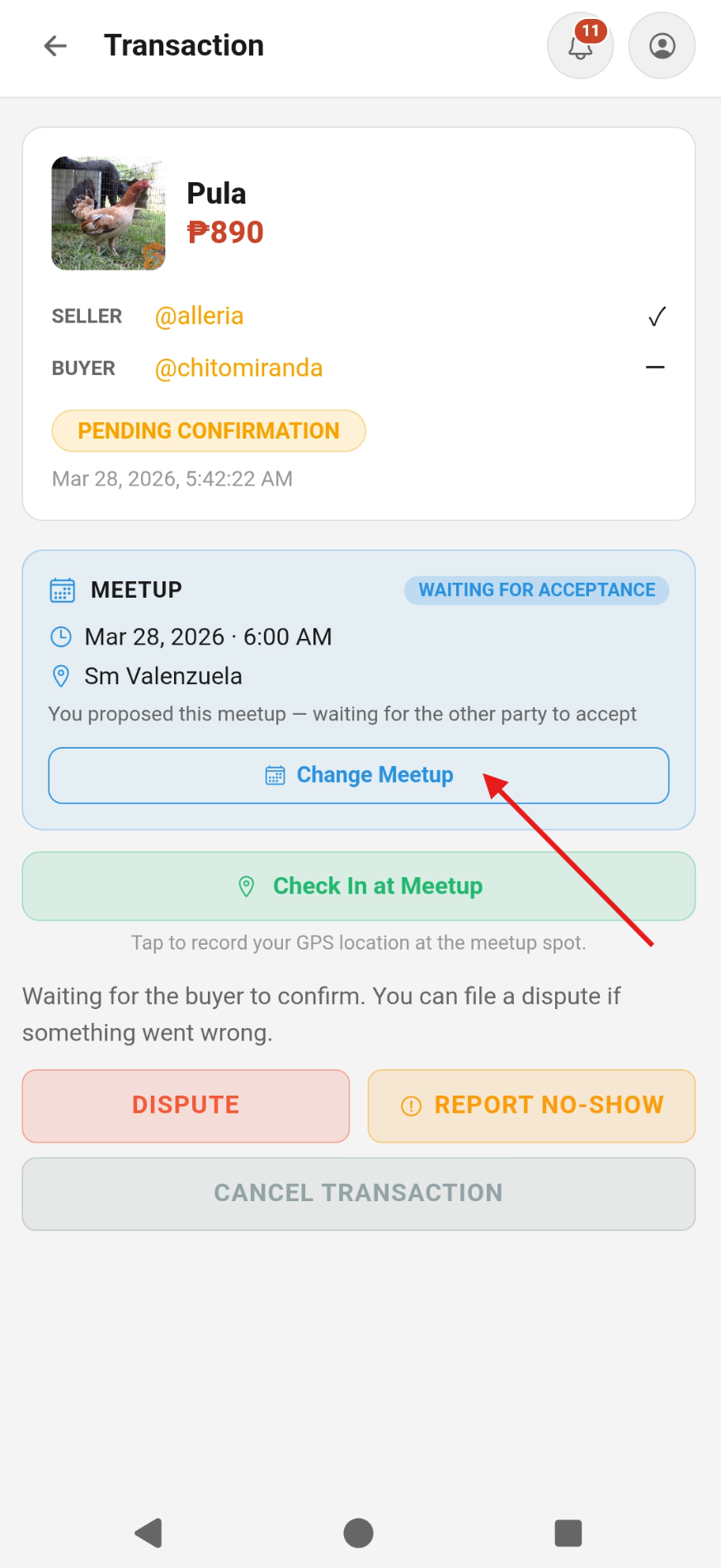
- Open the transaction and tap Propose Meetup
- Enter the date, time, and location
- The other party receives a push notification and can accept or request a change
- Once accepted, the meetup is locked in — both parties are notified
- A sticky meetup card appears in the chat footer showing the locked meetup details
GPS Check-In
When you arrive at the meetup location, tap Check In at Meetup on the transaction page. This records your GPS coordinates as proof of attendance. Both parties should check in — it protects you if a no-show dispute is filed later.